

Building a website has never been easier, thanks to modern tools that simplify the entire process. Whether you're a beginner or an experienced developer, creating stunning, professional web pages no longer requires advanced coding skills. The Gutenberg Page Builder makes it incredibly simple to design and customize website pages using an intuitive drag-and-drop interface.
Gone are the days of struggling with complex code or hiring expensive developers just to update a webpage. With Gutenberg, you get a clean, block-based editor that lets you arrange content visually, exactly the way you want it to appear on screen. In this guide, you'll learn step-by-step how to create website pages from scratch. We'll walk you through everything, from setting up your first page to adding text, images, buttons, and more.
By the end of this blog, you'll feel confident enough to build beautiful, fully functional web pages on your own, quickly, easily, and without writing a single line of code.
What is Gutenberg Editor?
If you've ever used WordPress, you've likely come across its built-in content editor. But not everyone knows the full story behind it. Gutenberg is the official WordPress block editor that completely transformed the way people create and manage website content.
Introduced in WordPress 5.0 back in 2018, Gutenberg replaced the old classic editor with something far more powerful and user-friendly. It brought a fresh, modern approach to building web pages, one that anyone could use, regardless of technical skill.
Gutenberg isn't just an editor, it's the foundation of WordPress's long-term vision. WordPress continues to evolve Gutenberg with new features, improved performance, and greater design flexibility in every update.
From Full Site Editing (FSE) to custom block patterns and templates, Gutenberg is steadily growing into a complete website creation ecosystem.
Why Use Gutenberg Editor?
With so many website-building tools available today, you might wonder why choose Gutenberg? The answer is simple. Gutenberg offers a perfect balance of simplicity, flexibility, and power that very few editors can match. Whether you're building your first website or managing an established one, Gutenberg gives you everything you need to create professional-looking pages without the steep learning curve.
Let's explore the top reasons why Gutenberg stands out from the rest.
1. It's Completely Free: One of the biggest advantages of Gutenberg is that it costs absolutely nothing. It comes built into WordPress by default, which means you don't need to purchase any additional tools or subscriptions to start building your website.
2. No Coding Skills Required: You don't need to know HTML, CSS, or any programming language to use Gutenberg. The entire editing experience is visual and intuitive. Simply click, type, drag, and drop, and your page comes to life. This makes it incredibly accessible for beginners who are just starting out Content creators who want full control over their layout
3. Block-Based Editing for Full Flexibility: Gutenberg's block system is one of its most powerful features. Every element on your page, text, images, videos, buttons, columns, is a separate block that you can freely move, edit, and customise.
4. Live Visual Editing: What you see is what you get, literally. Gutenberg lets you edit your content directly on the page and see the changes in real time. There's no need to switch back and forth between an editor and a preview window.
5. Works Seamlessly with WordPress: Since Gutenberg is WordPress's native editor, it integrates perfectly with the platform. You won't experience the compatibility issues that sometimes come with third-party page builders.
6. Grows with Powerful Plugins: While Gutenberg is impressive on its own, it becomes even more powerful when combined with the right plugins. The Gutenberg Page Builder ecosystem includes a wide range of block library plugins, such as Kadence Blocks, Generate Blocks, and Spectra, that unlock advanced design features and layout options.
7. Lightweight and Fast: Unlike many third-party page builders that load heavy scripts and slow down your website, Gutenberg is built to be lightweight. It generates clean, minimal code that keeps your website running fast.
Step-by-step Guide to Learning Gutenberg Page Builder
The Gutenberg Page Builder is the default editor in WordPress. It allows users to create pages and posts using a simple block-based system. Instead of writing code, you can build layouts by adding blocks such as text, images, buttons, and columns. This makes website creation faster and more beginner-friendly. Below is a step-by-step guide to help you learn and use the Gutenberg Page Builder effectively.
1. Access the Gutenberg Editor
- To start using Gutenberg, log in to your WordPress dashboard.
- Go to Pages → Add New or Posts → Add New.

- The block editor will open automatically.
- You will see a blank canvas where you can begin building your page.
- The editor works with blocks, which are the building elements of your page.
2. Understand Gutenberg Blocks
Blocks are the core feature of Gutenberg. Each type of content is placed inside a block.
Common blocks include:
- Paragraph Block – Add and format text content.
- Heading Block – Create titles and section headings.
- Image Block – Upload or insert images.
- Button Block – Add call-to-action buttons.
- Columns Block – Arrange content in multiple columns.
- List Block – Create bullet or numbered lists.
- You can add blocks by clicking the “+” icon in the editor.
3. Customize Blocks
Every block has its own settings. You can:
- Change text size and colors.
- Adjust spacing and alignment.
- Add background colors or gradients.
- Control margins and padding.
These options appear in the right sidebar when you select a block.
4. Create Different Pages Using Gutenberg
Home Page

The homepage is usually the most important page of a website. Steps to create it:
- Add a Cover Block for the hero section.
- Insert a Heading and Paragraph Block for the introduction.
- Use Columns Block to display services or features.
- Add Image Gallery Block for visuals.
- Place a Button Block for call-to-action.
This structure helps create a professional landing page.
About Us Page
This page introduces your brand or business. Here are the steps:
- Add a Heading Block for the page title.
- Insert Paragraph Blocks for company story.
- Use Image Block for team photos.
- Add Columns Block to highlight team members.
- Include Quote Block for testimonials or mission statements.
Services Page
A services page explains what you offer. Steps:
- Add a Heading Block for each service.
- Use Columns Block to organize services.
- Add Icons or Images to represent each service.
- Insert Buttons for contact or booking.
This layout improves readability and helps visitors quickly understand your services.
Blog Page

The blog page helps publish articles regularly. Steps:
- Create a new Post instead of a page.
- Add a Featured Image Block.
- Use Heading Blocks to structure content.
- Add Lists, Quotes, and Images to enhance readability.
- Insert Related Posts or Categories if your theme supports it.
Contact Page

A contact page allows visitors to reach you. Steps:
- Add a Heading Block for the page title.
- Insert Paragraph Block with contact details.
- Add Google Maps Embed Block for location.
- Use a Contact Form Block (from plugins like Contact Form 7).
- Add social media links.
5. Use Reusable Blocks
Reusable blocks save time when building pages. For example:
- Call-to-action sections
- Newsletter signup forms
- Promotional banners
You can save a block and reuse it across multiple pages.
6. Preview and Publish
Before publishing your page:
- Click Preview to check how it looks on desktop, tablet, and mobile.
- Make necessary adjustments.
- Click Publish to make the page live.
Gutenberg Compatible Themes
When learning about Gutenberg Page Builder, you must know that Gutenberg-compatible themes are one of a kind. A Gutenberg Compatible Theme is a Gutenberg WordPress theme specifically designed to work seamlessly with the WordPress Block Editor. Unlike older "Classic" themes that relied on a single text area, these modern themes are built to support blocks, modular units of content like layouts, galleries, and buttons.
WP Radiant Themes are engineered to be fully Gutenberg compatible, ensuring that users have a smooth, high-performance design experience right out of the box.
While many themes claim compatibility, WP Radiant Themes go a step further by integrating deep styling for every core WordPress block. This means you don't need to be a developer to create a professional-grade website; the theme handles the heavy lifting of spacing, typography, and responsiveness. Here are some of the top considerations from WP Radiant themes with Gutenberg compatibility:
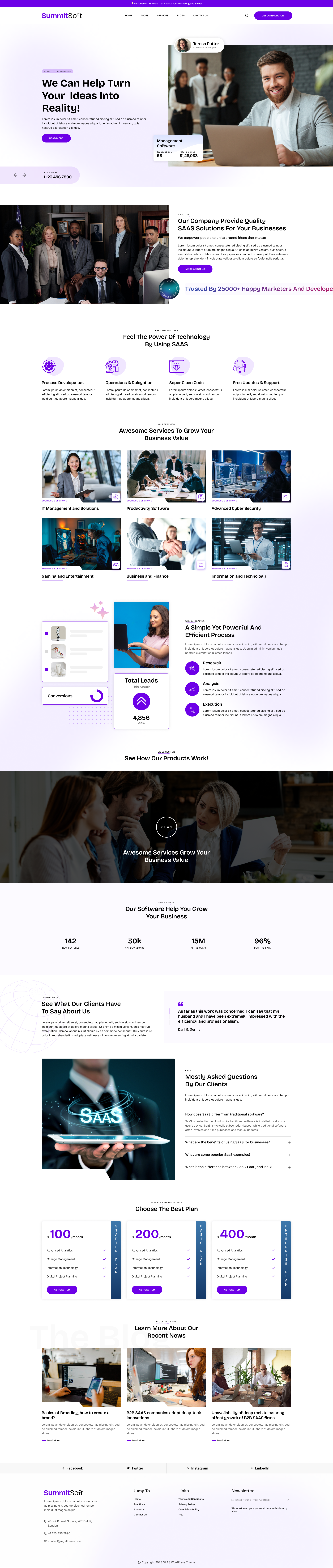
Corporate WordPress Theme

The Corporate WordPress Theme is a powerhouse for agencies, firms, and startups seeking a polished, professional look. It offers clean, high-performance layouts that emphasize services and team expertise. Being fully integrated with the Gutenberg Page Builder, it allows you to drag and drop custom blocks to create complex landing pages without any coding. The theme's responsive nature ensures a seamless transition from desktop to mobile, keeping your business accessible to everyone.
Watch Store WordPress Theme

Designed for elegance and precision, the Watch Store WordPress Theme is perfect for luxury retailers and eCommerce brands. It features high-resolution product galleries and sophisticated typography that highlights craftsmanship. Because it is Gutenberg Compatible, you can easily customize product showcases and promotional banners. Using the Gutenberg editor, store owners can create a high-converting shopping experience that feels bespoke and premium, all while maintaining lightning-fast load times for global customers.
Adventure Tour WordPress Theme

For travel agencies and outdoor enthusiasts, the Adventure Tour WordPress Theme provides a dynamic platform to showcase thrilling experiences. It includes specialized sections for tour itineraries, booking calls-to-action, and destination galleries. The theme works flawlessly with the Gutenberg Editor, enabling you to build immersive stories about your expeditions. Its SEO-friendly structure and mobile-first design ensure that adventure seekers can find and book your tours effortlessly from any device or location.
Basketball WordPress Theme

The Basketball WordPress Theme is a high-energy solution for sports clubs, schools, and athletic organizations. It features dedicated layouts for player profiles, match schedules, and league standings. This Gutenberg Compatible theme makes it simple to update scores and news feeds using modular blocks. By leveraging the Gutenberg Builder, coaches and managers can maintain a professional digital presence that keeps fans engaged with real-time updates and vibrant, sports-focused imagery.
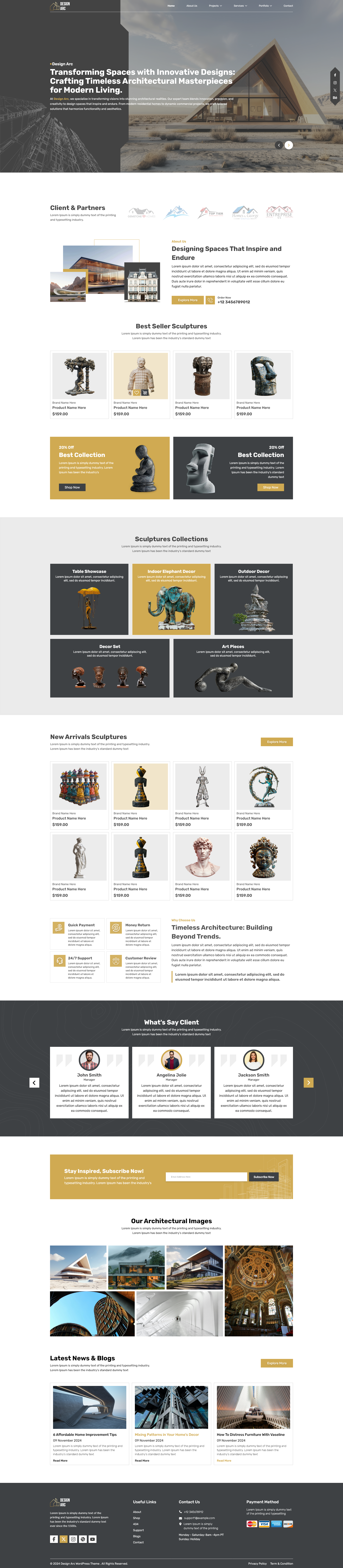
Museum WordPress Theme

The Museum WordPress Theme offers a refined, minimalist aesthetic designed to let art and history take center stage. It is ideal for galleries, cultural institutions, and exhibition spaces that require a clean, organized archive. Deeply integrated with the Gutenberg Builder, it allows curators to design virtual tours and detailed artist biographies with ease. The theme’s lightweight code and block-based architecture ensure that your cultural collection remains the focal point while providing a modern, accessible user experience.
If you want to buy all these themes together, you can choose the WordPress Theme Bundle to get multiple themes in one package.
Conclusion
Ultimately, mastering how to create website pages with the Gutenberg Page Builder represents a shift toward a faster, more intuitive WordPress experience. By moving away from heavy, third-party plugins and embracing the native block-based system, you ensure your website remains lightweight, secure, and future-proof. The true power of this environment lies in its modularity; whether you are inserting a simple text block or a complex multi-column layout, the visual feedback is instantaneous and precise. For those using WP Radiant Themes, this process is even more seamless, as their fully Gutenberg-compatible designs provide the professional styling and polished aesthetics needed to make your content shine. As WordPress continues to evolve toward Full Site Editing, proficiency in this block editor is no longer just an advantage it is a necessity for any modern web creator looking to build high-performance, responsive websites with ease and creative freedom.
Frequently Asked Questions
1. Is the Gutenberg Page Builder a plugin or part of WordPress?
Originally introduced as a plugin, Gutenberg is now the default editor built directly into WordPress core. You don’t need additional software to use it, but choosing a Gutenberg-compatible theme helps maximize performance and design flexibility, making it one of the essential website optimization tools for creating faster and more efficient websites.
2. Do I need coding skills to create pages with Gutenberg?
Not at all. The editor is designed as a visual, "what-you-see-is-what-you-get" (WYSIWYG) interface. You build pages by stacking "blocks" for text, images, buttons, and columns. It offers the flexibility of a professional page builder without the steep learning curve of HTML or CSS.
3. How does Gutenberg affect my website's loading speed?
Unlike traditional third-party page builders that often add "code bloat," the Gutenberg Page Builder is incredibly lightweight. Because it uses the native WordPress framework, it generates cleaner code, leading to faster load times, better SEO rankings, and a smoother mobile experience.
4. Can I use Gutenberg with any WordPress theme?
While Gutenberg works with most themes, it performs best with themes specifically labeled as Gutenberg Compatible. Themes from WP Radiant Themes are specifically engineered to support advanced features like full-width alignments, editor styles, and custom block palettes that standard themes might lack.
5. Can I still use the Classic Editor if I don't like Gutenberg?
Yes, you can install the "Classic Editor" plugin to revert to the old interface. However, WordPress is moving toward Full Site Editing (FSE), so learning the block-based system now is highly recommended to keep your website modern and compatible with future updates.




Add your Comment