

In the digital era, your online presence is your most powerful business card. Whether you’re a designer, photographer, writer, or freelancer, a well-crafted website can showcase your creativity and skills to potential clients and employers worldwide. WordPress, being one of the most flexible and user-friendly platforms, allows anyone to create a professional portfolio.
A website not only helps you display your projects beautifully but also gives you complete control over your brand, content, and presentation. From choosing visually appealing templates to integrating interactive features like testimonials, galleries, and contact forms, WordPress makes it easy to turn your vision into a stunning reality. In this guide, we’ll walk you through every step, from understanding why you need a portfolio to building, designing, and optimizing your portfolio website on WordPress for maximum impact.
Why You Need a Portfolio Website on WordPress
Having a portfolio website on WordPress is more than just a digital showcase; it’s a powerful personal marketing tool. Here’s why it matters:
-
Showcase Your Expertise:
Display your best work in an organized and visually appealing way, helping clients understand your skills at a glance. -
Build Credibility and Trust:
A dedicated portfolio builds professional credibility and gives visitors confidence in your abilities. -
Full Creative Control:
With WordPress, you can customize every element, from layout and typography to color schemes and plugins. -
Easy Maintenance:
WordPress makes updating content, adding new projects, and maintaining your site simple, even for beginners. -
SEO and Visibility:
WordPress is SEO-friendly, which helps your website appear in search results and attract organic traffic.
A WordPress portfolio empowers you to present your work with personality and professionalism, making it the perfect choice for creatives, freelancers, and agencies alike.
Steps to Create a Portfolio Website on WordPress
Let’s break down how to build your portfolio website on WordPress step by step.
Step 1: Choose a Domain and Hosting Plan

Every successful website on WordPress begins with a strong foundation, your domain and hosting. Your domain name is your digital identity, so it should reflect your brand or profession clearly. Keep it short, easy to remember, and ideally include your name or niche. Once you’ve selected your domain, the next step is to choose a reliable hosting provider. Companies like Bluehost, Hostinger, and SiteGround offer fast, secure, and WordPress-optimized hosting plans ideal for beginners. After purchasing a plan, use the one-click WordPress installation feature most hosts provide. This simplifies setup, allowing you to start designing within minutes.

Once installed, you can log into your WordPress dashboard, where you’ll begin customizing and creating your portfolio website on WordPress. A stable hosting service ensures your site remains accessible, loads quickly, and delivers a seamless experience for potential clients or employers visiting your online portfolio.
Step 2: Choose the Right Portfolio Theme
Your theme defines the overall look, feel, and structure of your portfolio website on WordPress. WordPress offers thousands of free and premium themes tailored for creatives, photographers, designers, and freelancers. When selecting one, ensure it’s responsive (mobile-friendly), lightweight, and compatible with key plugins. If you prefer visual editing, Divi’s drag-and-drop builder is ideal. Your chosen theme should align with your personal brand’s aesthetics and functionality. Minimalistic layouts work best for showcasing visuals.
Once installed, use the built-in customizer or a page builder like Elementor to modify colors, fonts, and layouts. A well-chosen theme creates the perfect first impression, ensuring your website reflects your creativity and professionalism.
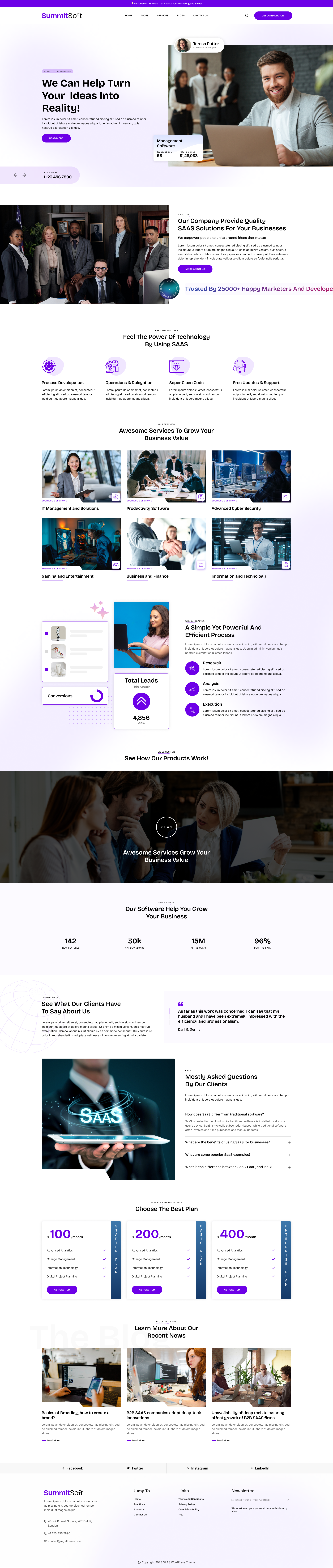
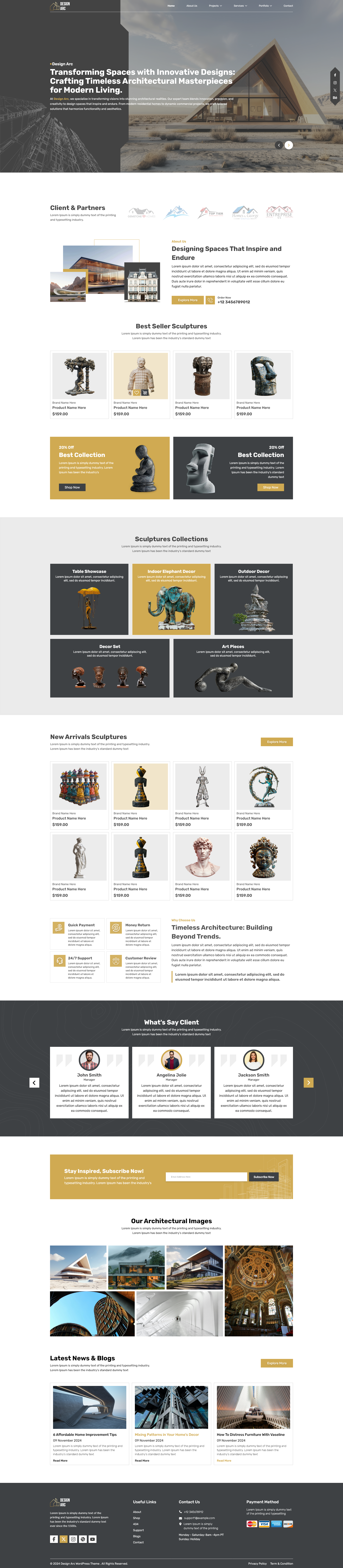
Explore this Best Theme for your Portfolio Website by WP Radiant :
Portfolio WordPress Theme | WP Radiant

The Portfolio WordPress Theme from The WP Radiant is an ideal solution for creatives, freelancers, and professionals who want to showcase their work in a modern, visually appealing way. Designed with a fully responsive layout, this theme ensures your portfolio looks perfect on desktops, tablets, and smartphones. It offers customizable layouts, allowing users to personalize colors, fonts, and page structures to match their unique brand identity. Integrated with a drag-and-drop page builder, it simplifies the process of creating beautiful pages without any coding knowledge. Multimedia support lets you display high-quality images, videos, and audio files, making your projects truly stand out.
The theme is SEO-optimized for better search engine visibility, and social media integration helps connect your work with a wider audience. Additional features like testimonial sections, services, recent projects, and an easy-to-use contact form make it a comprehensive solution for professionals aiming to build credibility and attract potential clients effectively.
Step 3: Install Essential Plugins

Plugins enhance your portfolio website on WordPress by adding functionality and design flexibility without coding. Start by installing Elementor, a drag-and-drop page builder that makes customizing pages simple and intuitive. To display your work beautifully, use gallery plugins like Envira Gallery or NextGEN Gallery, which offer advanced layouts and lightbox effects. For communication, WPForms allows you to create sleek contact forms effortlessly. To boost your visibility, install Yoast SEO to optimize your content for search engines, and use Jetpack for added security, analytics, and site backups.

These plugins ensure your portfolio looks professional and performs optimally. Avoid installing too many plugins, as they may slow your site down. Focus only on what enhances user experience and functionality. Together, these tools empower you to build, design, and promote a fast, attractive, and user-friendly website that leaves a lasting impression.
Step 4: Customize Your Portfolio Layout

The design and structure of your portfolio website on WordPress play a crucial role in how visitors experience your work. Using Elementor or your theme’s customizer, you can easily modify layouts, colors, and page arrangements. Begin by creating essential pages: Home, Portfolio, About, Services, and Contact. Your homepage should give a quick overview of who you are and what you do, while the portfolio page highlights your projects in a clean grid or gallery format. The About page helps visitors connect with your story, and the Services page outlines your offerings clearly. Ensure your Contact page includes a simple form and links to your social media accounts. Maintain a cohesive color scheme, legible fonts, and intuitive navigation.
A clutter-free, mobile-friendly design keeps your audience focused on your work. Customizing your layout strategically ensures your website delivers both beauty and usability.
Step 5: Add Your Portfolio Content

Content is the heart of your portfolio website on WordPress. This is where you bring your professional story to life through visuals, text, and case studies. Begin by selecting your best work, projects that truly represent your skill, creativity, and expertise. Use high-resolution images but compress them to maintain fast loading speeds. Each project should include a short description detailing the objective, your creative process, tools used, and the results achieved. Consider adding client feedback, metrics, or success stories to reinforce credibility. Writing compelling descriptions helps visitors understand the value behind your work, not just the visuals. You can also organize projects by category or style for easy browsing.
A strong portfolio section not only showcases your talent but also demonstrates professionalism and attention to detail. With thoughtful presentation, your website becomes a powerful storytelling platform that captivates potential clients.
Step 6: Optimize for SEO

To make your portfolio website on WordPress visible to your target audience, you need to optimize it for search engines. Start by integrating Yoast SEO or Rank Math to manage on-page optimization easily. Incorporate relevant keywords like portfolio website on WordPress naturally in titles, headings, and content. Write unique meta titles and descriptions for each page to attract clicks from Google search results. Use image optimization plugins like Smush to compress visuals without losing quality, and add descriptive alt text to help search engines understand your images. Internal linking between pages (e.g., from About to Portfolio) improves navigation and SEO ranking. Additionally, enhance loading speed using caching plugins like LiteSpeed Cache or WP Rocket.

SEO is an ongoing process, monitor performance using Google Analytics and Search Console. By optimizing every detail, your website can achieve higher visibility, attract traffic, and generate client leads organically.
Step 7: Make It Mobile-Friendly
With over half of internet users browsing on smartphones, ensuring your portfolio website on WordPress is mobile-friendly is essential. A responsive site adapts automatically to different screen sizes, providing a consistent and enjoyable experience. Most modern themes, like Astra or Neve, come pre-optimized for mobile use, but fine-tuning is still crucial. Using Elementor or similar page builders, you can adjust spacing, font size, and image scaling specifically for mobile layouts. Test your website on various devices to ensure text is legible, buttons are easy to tap, and images display correctly. Google’s Mobile-Friendly Test tool can help verify responsiveness. Mobile optimization also boosts SEO rankings, as search engines prioritize mobile-ready websites. Fast-loading pages, simplified navigation, and clean layouts keep visitors engaged longer.
By focusing on accessibility and speed, your website will deliver a flawless experience across all devices, showcasing your work beautifully anytime, anywhere.
Step 8: Integrate Social Media and Contact Options

Your portfolio website on WordPress should act as the central hub for your online presence. Integrating social media platforms helps you expand your reach and engagement. Add visible icons linking to your LinkedIn, Instagram, Behance, Dribbble, or Pinterest profiles, depending on your profession. WordPress plugins like Smash Balloon or Social Icons Widget can seamlessly display your feeds or icons. Including a contact form (via WPForms or Contact Form 7) ensures clients can easily reach you for inquiries or collaborations. You can also add clickable email links, phone numbers, or live chat features for faster communication. Embedding testimonials or Google Reviews builds credibility and trust. Make sure your contact information appears on every page footer for accessibility.
This level of integration makes your website more interactive, professional, and connected, turning casual visitors into potential clients or long-term collaborators.
Step 9: Maintain and Update Regularly
A professional portfolio website on WordPress requires consistent maintenance to stay secure, relevant, and engaging. Regularly update your WordPress core, themes, and plugins to ensure optimal performance and protection from vulnerabilities. Add new projects or replace outdated ones to keep your portfolio fresh and showcase your latest achievements. Writing occasional blog posts about recent work, design trends, or case studies helps improve SEO and audience engagement. Always back up your website using plugins like UpdraftPlus or Jetpack Backup, so you never lose your content. Test your site’s performance periodically, checking loading speed, broken links, and responsiveness. Additionally, analyze visitor data using Google Analytics to understand audience behavior and optimize accordingly.
Treat your website like a living portfolio that grows with you. Regular updates demonstrate professionalism and reliability, ensuring your portfolio website continues to impress and attract opportunities over time.
Conclusion
Building a portfolio website on WordPress is one of the smartest investments you can make for your personal and professional growth. It’s not just a digital space, it’s your brand, your identity, and your story brought to life. With WordPress’s flexibility, you can design a site that perfectly reflects your creative style, showcases your skills, and connects you with clients or employers around the world.
By following the steps outlined in this guide, from selecting a domain and theme to optimizing for SEO and maintaining your site, you can create a portfolio that is both visually stunning and highly functional. Remember, consistency and regular updates are key to keeping your portfolio relevant and engaging. Whether you’re a designer, developer, writer, or freelancer, your website will serve as your most powerful tool for standing out in the digital landscape and turning your passion into lasting professional success.




Add your Comment